Remote desktop to Windows Home from your iPhone
Microsoft’s Remote Desktop can’t connect to a PC running Windows Home. If that’s your PC, here is how to reach its screen from your iPhone or iPad without upgrading Windows.
Updated October 14, 2026 · PalmDesk 1.0
Quick answer
Windows Home editions can’t serve as Remote Desktop hosts, so the Windows App on your iPhone can’t connect to them. Install the free PalmDesk for Windows on the PC instead: it works on every edition of Windows 10 version 2004 or later and Windows 11 except S mode. With PalmDesk Pro you see and control the screen in up to 4K from your iPhone or iPad, at home or from any network, with no port forwarding.
Why Remote Desktop doesn’t work on Home
Remote Desktop has two sides: a client you connect from, and a host you connect to. Microsoft lists Windows Pro, Enterprise, Education and Server as hosts and says Home editions can’t be one. Upgrading to Windows Pro adds the host, but reaching it from outside your home still needs a VPN or port forwarding.
Set up PalmDesk instead
Install PalmDesk for Windows
The free PalmDesk for Windows installs on Home and Pro alike and waits in the notification area.
Pair your iPhone or iPad
Choose Add Device on the PC and scan the QR code with PalmDesk on your iPhone, then confirm on both screens.
Open Live Display
Tap your PC with Live Display selected. Pick a display or one window, pinch to zoom, and turn the phone sideways for full screen.
Away from home
Leave Internet Connections on in the PC app. PalmDesk connects directly when it can and through an encrypted relay when it can’t.
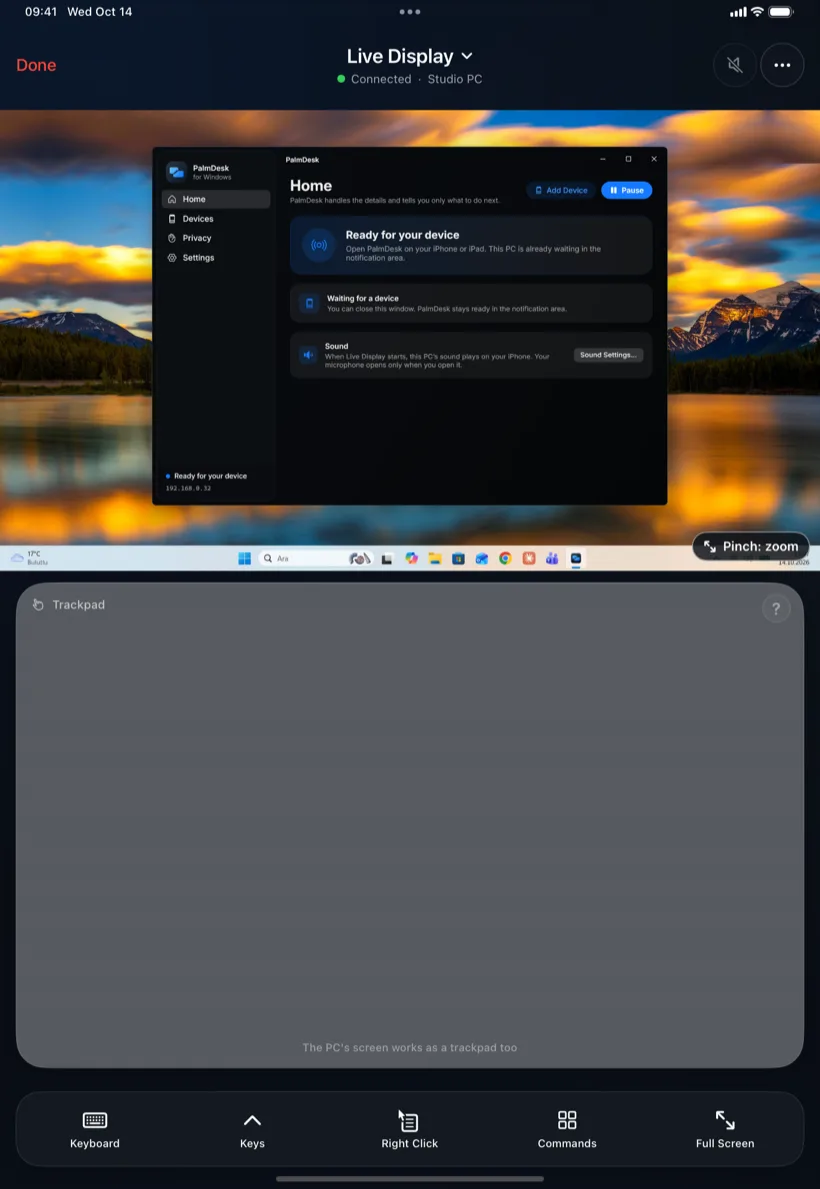 Up to 4K
Remote Desktop and PalmDesk side by side
| Remote Desktop | PalmDesk | |
|---|---|---|
| Windows Home | No | Yes |
| From another network | VPN or port forwarding | Built in, with Pro |
| Media and presentation remote | No | Yes |
| Sign-in screen | Yes | No, needs a signed-in user |
Questions
Can I use Remote Desktop on Windows 11 Home?
You can connect from a Home PC to another computer, but nobody can connect to a Home PC with Remote Desktop. PalmDesk doesn’t have that limit.
What does it cost?
The PC app is free. Live Display and access from other networks are part of PalmDesk Pro, $2.99 a month or $19.99 a year, with a 7-day free trial. Trackpad, Media Remote and Presentation Remote are free on the same Wi‑Fi.
Is it secure?
Only devices you pair on the PC can connect, and every session is end-to-end encrypted, including through the relay. See Security.