How to use your iPhone as a mouse for Windows
No dongle, no Bluetooth pairing, no extra hardware: your iPhone becomes a wireless trackpad and keyboard for your Windows PC over the Wi‑Fi you already have.
Updated October 14, 2026 · PalmDesk 1.0
Quick answer
Install the free PalmDesk for Windows on your PC and PalmDesk on your iPhone, pair them once with the QR code, and open Trackpad. One finger moves the pointer, a tap clicks, two fingers scroll and right-click, and the keyboard types straight into Windows with Ctrl, Alt and the Windows key. It’s free while both are on the same Wi‑Fi.
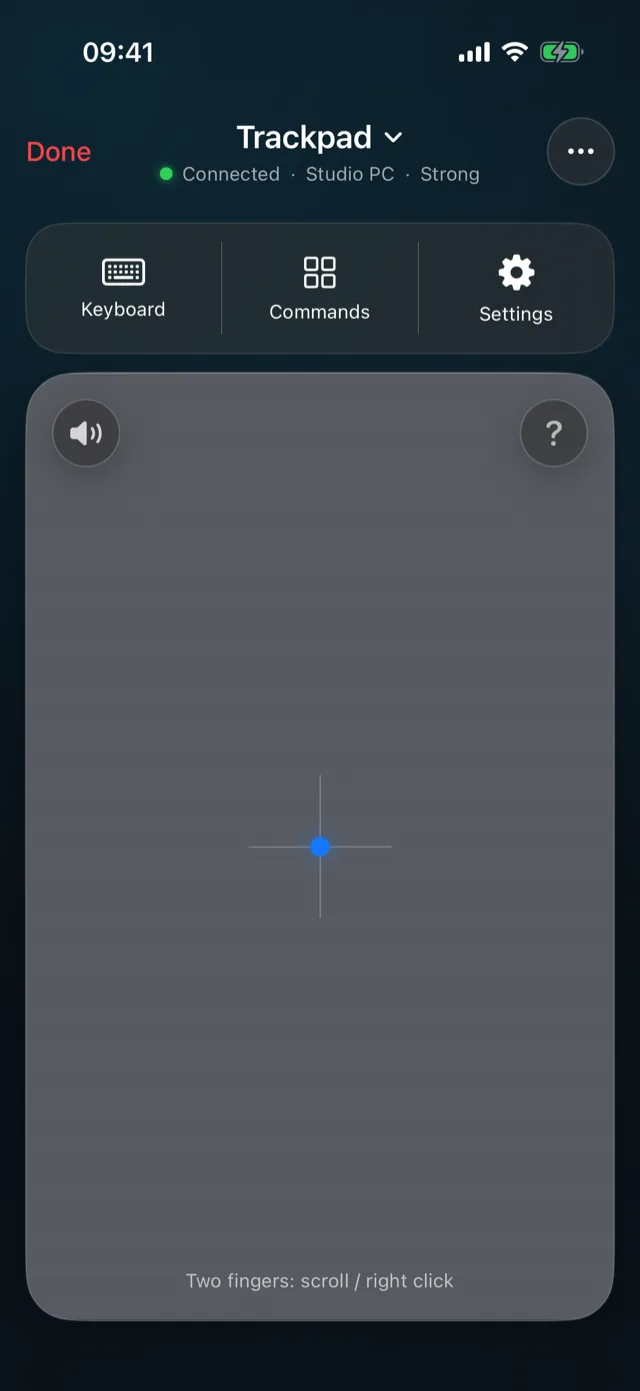
Windows gestures on your iPhone
| Move the pointer | One finger |
|---|---|
| Left click | Tap |
| Right-click | Two-finger tap |
| Scroll | Two fingers, with momentum |
| Drag | Press and hold, then move (or Drag Lock) |
| Task View | Three-finger swipe up |
| Window switcher | Three-finger swipe down |
| Switch virtual desktops | Four-finger swipe left or right |
A keyboard that speaks Windows
Ctrl, Alt, Win, Shift
The key bar has Windows’ own modifiers, plus Esc, Tab, arrows and Return, so shortcuts like Ctrl+C or Win+D work as you expect.
Your language
Typed text arrives as you wrote it, accented and Turkish characters included, and with Japanese, Chinese or Korean input methods too.
Quick Commands
Task View, the window switcher, Show desktop, Search, and the previous or next desktop in one tap, plus Sleep, Restart and Shut Down.
Set it up
Install PalmDesk on both
The free PalmDesk for Windows on the PC, and PalmDesk from the App Store on your iPhone.
Pair once
Choose Add Device on the PC and scan its QR code with PalmDesk on the iPhone, then confirm on both screens.
Open Trackpad
Tap your PC with Trackpad selected. Adjust Pointer Speed, Natural Scrolling, Haptic Feedback and Drag Lock in Settings.
Why it feels responsive
In Trackpad mode the PC doesn’t capture or send its screen, so only small, encrypted touch messages travel. The pointer is sent up to 120 times a second from iPhones with 120 Hz displays and moves on the PC with each refresh of its own display.
Questions
Can I use my iPhone as a mouse for my PC without Bluetooth?
Yes. PalmDesk works over Wi‑Fi; nothing is paired over Bluetooth and nothing is plugged in.
Is it free?
Yes, on the same Wi‑Fi, with no time limit and no ads. Using it from another network is part of PalmDesk Pro.
Can I also see the PC’s screen on my iPhone?
Yes, with Live Display in PalmDesk Pro. The screen itself then works as a trackpad too. See Live Display.
Does it work on iPad?
Yes, and the bigger screen gives you a bigger trackpad. See iPad as a remote.